Real screenshots, not mock-ups. All five are the same 720 MB file over 8 threads; Windows, macOS, Linux and iOS were caught at the same moment.
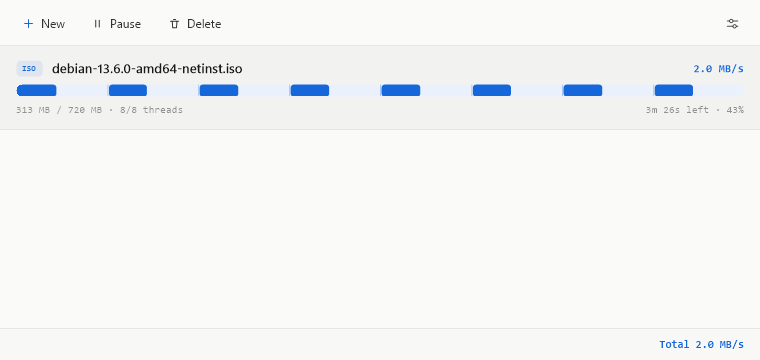
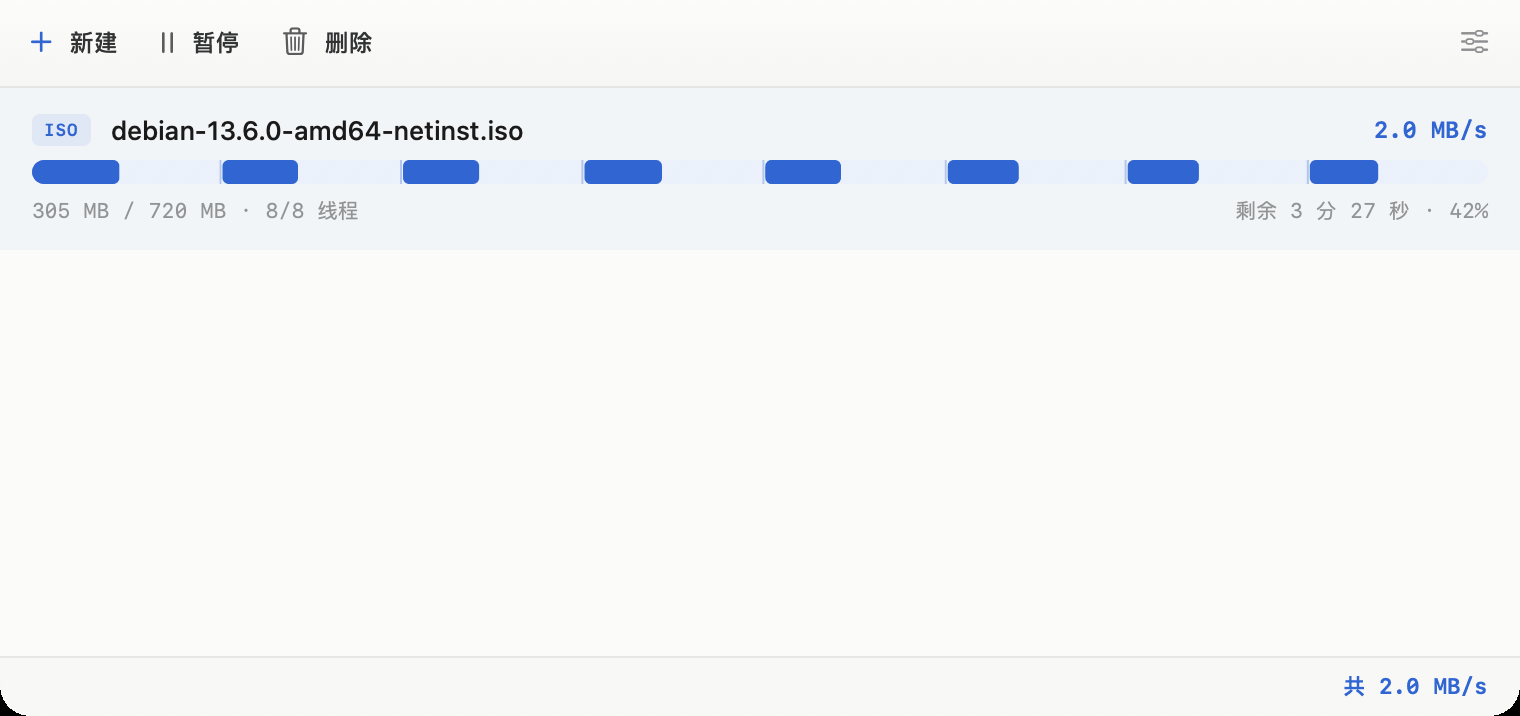
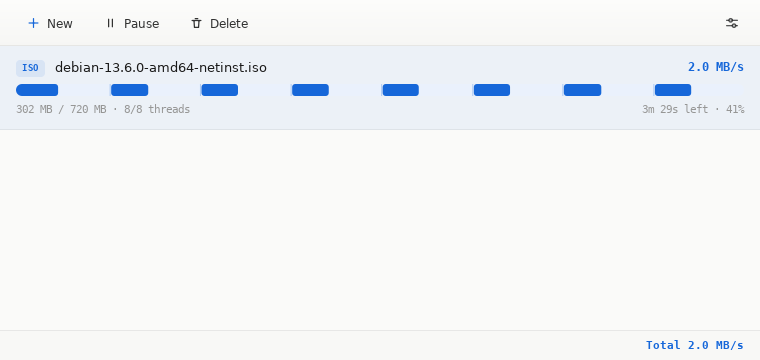
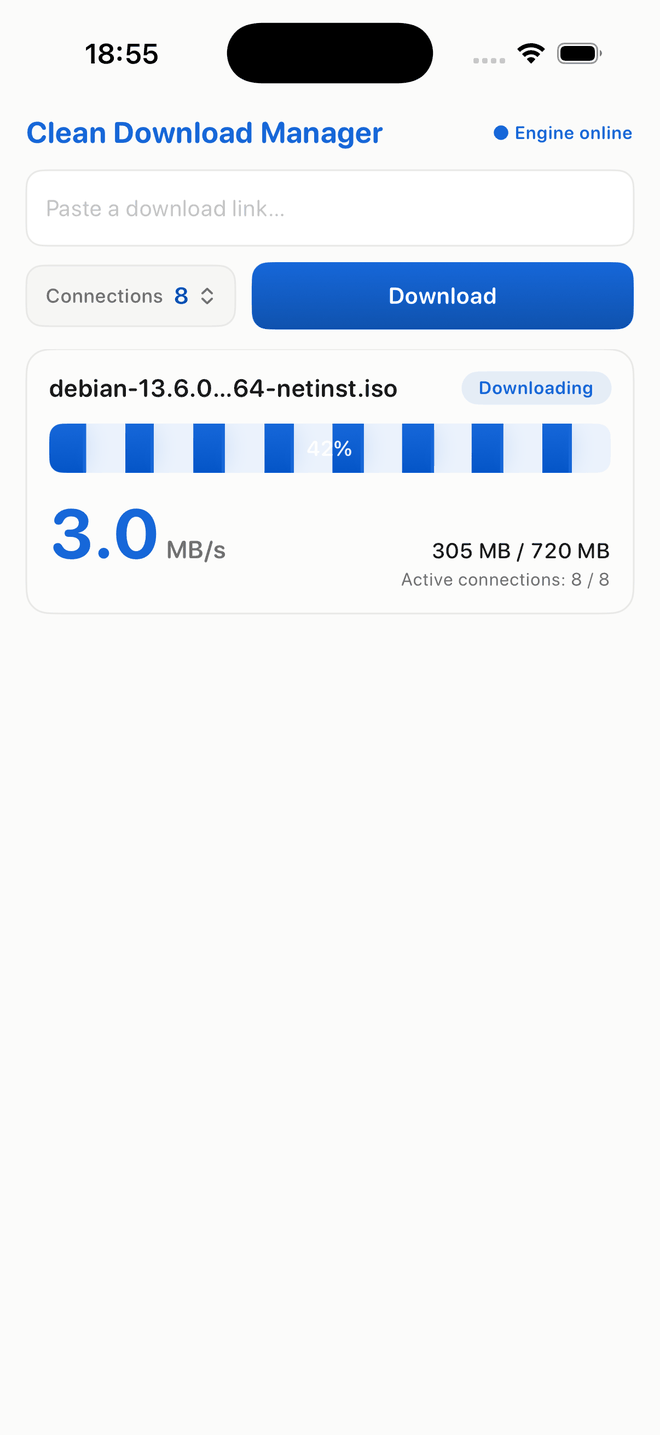
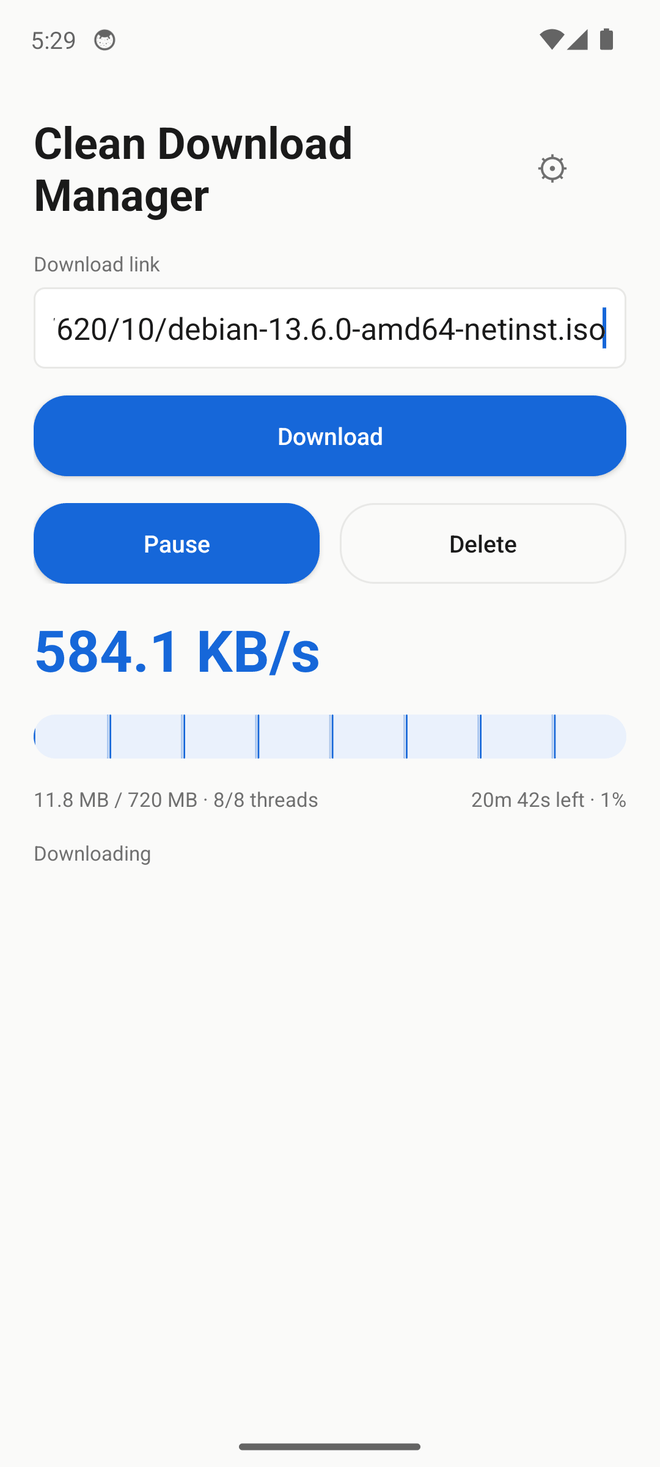
Same speed as the heavyweights — a fraction of the resources. On a capped real-world link every downloader hits the same ceiling, so raw speed ties. Clean Download Manager's edge is what it costs your machine to get there — far less CPU and memory than Neat Download Manager, byte-correct at every connection count.
| Metric | Clean Download Manager | Neat Download Manager | Internet Download Manager |
|---|---|---|---|
| Everyday download speed | 12 MB/s | 11.4 MB/s | ~9 MB/s |
| End-to-end speed, 200 MB | 120.4 MB/s | 48.0 MB/s | 29.4 MB/s |
| CPU time per 148 MB (lower is better) | 0.99 s | 3.13 s | ~5 s |
| Peak memory (lower is better) | 13 MB (2–3 MB on plain HTTP) | 96 MB | ~40 MB |
| Byte-correct at high concurrency | every connection count ✓ | ✓ | ✓ |
| Unattended automation | native CLI, zero babysitting | no CLI, GUI must be scripted | CLI, but needs an external watchdog ~every 22 |
| Platforms & connections | Win macOS Linux Android, IPv4 + IPv6, ≤32 conns | Windows macOS, IPv4 only, ≤32 conns | Windows only, IPv4 only, ≤32 conns |
| Size (engine / app) | Windows installer 606 KB, macOS .dmg 950 KB | Windows setup 917 KB, macOS .dmg 1.47 MB | Windows installer 12.49 MB |
A downloader shouldn't weigh more than the download. The only platform all three ship on, so it is the only honest comparison — measured, not rounded.
One scale, three Windows installers, weighed on the same machine. Sizes are bytes÷1024 throughout, including the competitors': Neat Download Manager's installer is 917,340 bytes and Internet Download Manager's is 12,469,144. Clean Download Manager is 606 KB — smaller than Neat Download Manager, and a twentieth of Internet Download Manager.
How Clean Download Manager makes one file arrive faster. Reverse-engineered from the pro downloaders to match their segmented-download approach, on an all-new UI and cross-platform engine. On the same IPv4 path all three land close together; Clean Download Manager’s clear edge is its smaller footprint and IPv6 support that older Internet Download Manager and Neat Download Manager builds lack. The interactive view above mirrors what Clean Download Manager does internally.
Clean Download Manager opens multiple ranged connections to the same file, each one racing to fill its own slice of the byte range.
The moment a connection finishes early, it re-splits the largest remaining slice — no connection sits idle while another lags.
Positioned writes land each slice at its exact offset in a preallocated file. The result is checksum-identical to the source, every time.
Get Clean Download Manager. Free, and every release ships Windows, macOS, Linux and Android on the same day. Pick your platform — every download is checksummed.
curl -fsSL https://www.cleandownloadmanager.com/cdm-archive-keyring.gpg | sudo tee /usr/share/keyrings/cdm-archive-keyring.gpg >/dev/null
echo "deb [signed-by=/usr/share/keyrings/cdm-archive-keyring.gpg] https://www.cleandownloadmanager.com/apt stable main" | sudo tee /etc/apt/sources.list.d/cdm.list
sudo apt update && sudo apt install cdmcurl -fsSL https://www.cleandownloadmanager.com/install.sh | shSigned for the App Store, so it is not tap-to-install — it is what AltStore and Sideloadly take to re-sign with your own Apple ID. App Store review is in progress.
Download IPAUnsigned, which is what the sideload installers expect — they fetch a debug certificate and sign it on your device. Not in AppGallery yet.
Download HAPWhat Clean Download Manager collects. Short version: no accounts, no advertising, no third-party analytics and no cross-site tracking — the only records are the ordinary web-server log described below. This page states exactly what leaves your machine, because the browser extension asks for permissions that sound alarming and you deserve to know why.
Downloads happen entirely on your machine. File names, addresses and contents are never sent anywhere.
Two things do leave, both optional and both anonymous. The update check asks the website which version is current and carries a random identifier generated on first run, plus your platform and version — it is not derived from your hardware or any account, and reinstalling produces a new one. It exists so we can count installs rather than IP addresses. Turn off “Check for updates automatically” in Settings and it stops entirely.
The second is a diagnostic report, sent only if you tap Share on the banner the app shows after a crash or an abnormal resource reading. It contains numbers only: version, OS, uptime, memory, CPU and task counts.
What the website keeps: for each request, the time, the path or file, the response status, and what Cloudflare derives at the edge — country, region, city, data centre and network operator — plus the browser's user-agent, referring page, language header and IP address. Rows are pruned after about 400 days. It is a first-party count of what is downloaded from where; it is not sold, shared, or joined to anything else, and there is no third-party analytics, ad network or cross-site identifier anywhere on this site.
The extension talks to one address: the engine running on your own computer, at 127.0.0.1. Nothing it reads is sent to us or to anyone else.
It asks for broad permissions because a download manager cannot work without them, and here is the specific reason for each:
Visits are counted with our own first-party analytics — no third-party service, no advertising network, no cross-site identifiers, and no cookies for tracking.
Questions about any of this: support@cleandownloadmanager.com
Last updated 2026-07-28.
Clean Download Manager is in technical preview, built continuously. Below are the milestone releases shipped on every platform. Every release ships Windows, macOS, Linux and Android together.
A download that slowed down for a moment no longer runs the rest of the file at that speed
Redirecting sources stop paying for the redirect on every segment, and the Windows Settings panel fits on a small screen
The browser extension has a home, and downloads stop settling for half the connections they were given
The Android app is a third of its old size, and the progress bar stops hiding connections
A new icon, real file names, a right-click menu, and a Windows installer
Time remaining is now readable at any length
The progress bar now shows every connection, and the thread count shows what is actually running
Faster on slow links, a speed readout matched to the millisecond, and fixes for two ways the app could get stuck
Idle energy fix (from a real user's report) and opt-in diagnostics
Faster ramp-up, FTP & WebDAV, and smaller Windows & macOS packages
Working pause & delete, auto-update, and real-user analytics
Stability overhaul + a smaller build
Unified design across platforms + Windows HTTPS fix
Redesigned desktop interface
Steadier speed on real-world servers
A smaller engine with adaptive connections
First public technical preview
Version numbers increment continuously during the preview, so builds between these milestones exist too. Auto-update inside the app always points to the newest build.
